RingConn Troubleshooting: Red Light, Reset, Charging Time & Common Fixes
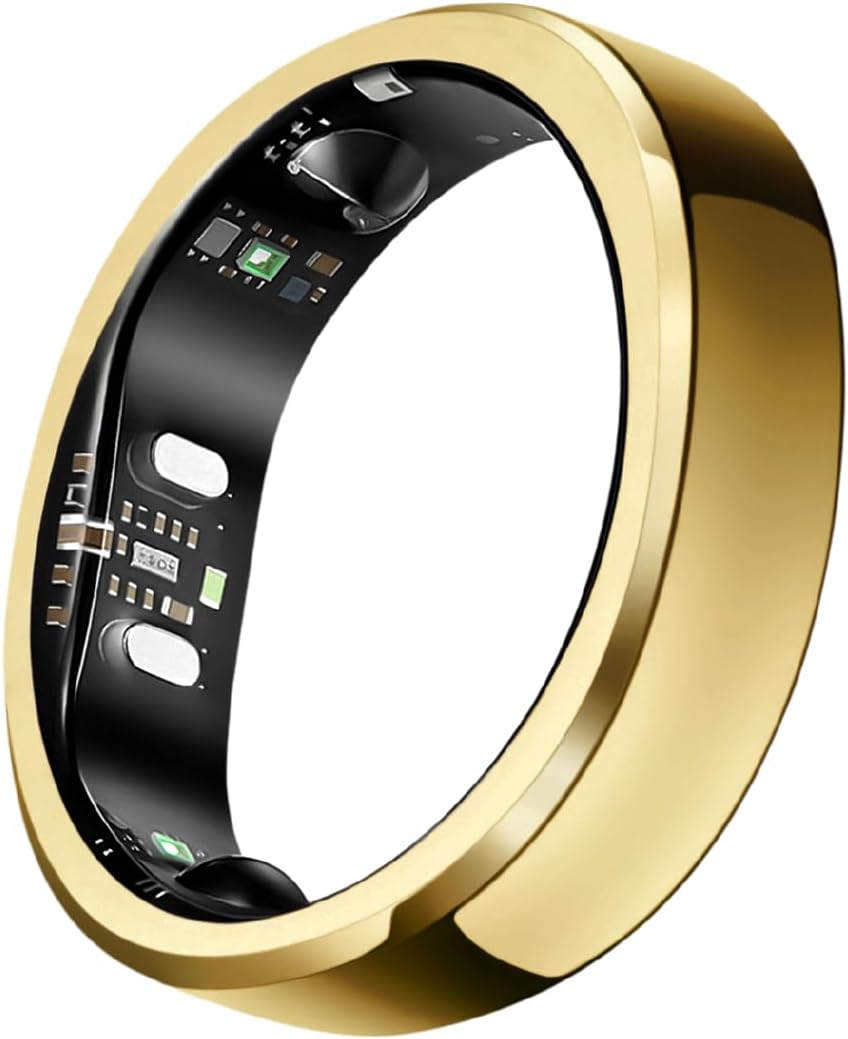
Quick reference: Red light = sensors active or charging (normal). Full charge = 60-90 min. Reset = app Device Settings → Factory Reset. Won’t sync = toggle Bluetooth, force-close app, check firmware.
RingConn red light: what it means
| Red light pattern | Meaning | Action needed |
|---|---|---|
| Solid red (in case) | Charging in progress | None — charging normally |
| Solid red → off (in case) | Fully charged | Remove and wear |
| Blinking red (on finger) | Low battery (<20%) | Charge soon |
| Solid red (on finger) | Sensors actively measuring | None — normal operation |
| Rapid blinking red | Pairing mode or firmware update | Follow app instructions |
The red light is not an error. It’s the SpO2 sensor (red + infrared LEDs) working normally during measurement. You’ll notice it most in dark rooms at night — that’s the ring monitoring your blood oxygen.
How to reset RingConn
Via the app (recommended)
- Open RingConn app
- Tap your ring name → Device Settings
- Scroll down to Factory Reset
- Confirm reset
- Re-pair the ring as a new device
Via the charging case (Gen 3)
- Place ring in charging case
- Hold the case button for 10 seconds
- LED flashes 3 times = reset complete
- Open app and re-pair
Via the charging case (Gen 2)
- Place ring in charging case
- Hold the button for 8 seconds
- LED flashes to confirm reset
- Re-pair in app
When to reset: persistent sync failures, ring showing wrong data for weeks, selling/gifting the ring, or after a failed firmware update.
Data note: Factory reset clears all data from the ring itself. Historical data already synced to the app is preserved.
Charging time guide
| What you’re charging | Time to full | Indicator |
|---|---|---|
| Ring (empty) | 60-90 minutes | Case LED turns off |
| Ring (50% battery) | 30-45 minutes | — |
| Charging case (empty) | 2-3 hours via USB-C | Case LED |
| Ring + case together | Case charges ring while case charges | — |
Tips:
- Don’t leave in case indefinitely — remove once charged to preserve battery health
- The magnetic contacts must align properly — if ring isn’t charging, reposition it
- Use the included cable; third-party cables sometimes don’t trigger charging
How long does RingConn battery last?
- Gen 3: Up to 7 days (typical: 5-6 days with continuous monitoring)
- Gen 2 Air: Up to 6 days
- Gen 2: Up to 5-6 days
Battery drains faster with: continuous SpO2 monitoring, frequent app sync, Bluetooth always active.
Common issues and fixes
Ring won’t sync to app
- Force-close the RingConn app completely
- Toggle Bluetooth off, wait 10 seconds, toggle back on
- Reopen app — ring should reconnect
- If not: unpair ring in phone Bluetooth settings, re-pair in app
More detailed fix: RingConn not syncing →
Ring won’t turn on
- Place in charging case for 30 minutes minimum
- Deeply discharged rings need time before responding
- Check magnetic contacts are clean and aligned
- If still no response after 2 hours charging, contact RingConn support
Inaccurate readings
- Check ring fit — should be snug, not loose (one finger gap max)
- Clean sensors with dry cloth
- Wear on index or middle finger, non-dominant hand
- Update firmware (Settings → Firmware Update in app)
App shows “Device Offline”
- Bring ring within 1 meter of phone
- Toggle Bluetooth off/on
- Check ring battery level
- Restart phone if persistent
Firmware update stuck or failed
- Keep ring in charging case during update
- Keep phone screen on and app open throughout
- Stay within Bluetooth range (1-2 meters)
- If update fails: factory reset ring, then update again from fresh state
Full guide: RingConn firmware update →
RingConn shipping information
From ringconn.com:
- Ships from: US warehouse (domestic orders) / China warehouse (international)
- Processing time: 1-3 business days
- Standard US shipping: 5-10 business days
- Expedited US shipping: 3-5 business days
- International: 10-20 business days (varies by country)
From Amazon:
- Prime members: 2-day delivery available
- Ships from Amazon fulfillment center (US stock)
- Fastest option for US buyers
From other retailers: Full where to buy guide →
When to contact RingConn support
Contact support (support@ringconn.com) if:
- Ring won’t charge after 2+ hours
- Red light persists abnormally after full charge
- Physical damage (cracked, water ingress after normal use)
- Persistent sync failure after all troubleshooting steps
- Warranty claim needed (1-year warranty from purchase date)
Include: order number, ring model, iOS/Android version, app version, and description of the issue with when it started.