RingConn Gen 3 sizing guide: new sizing system, don't assume your Gen 2 size
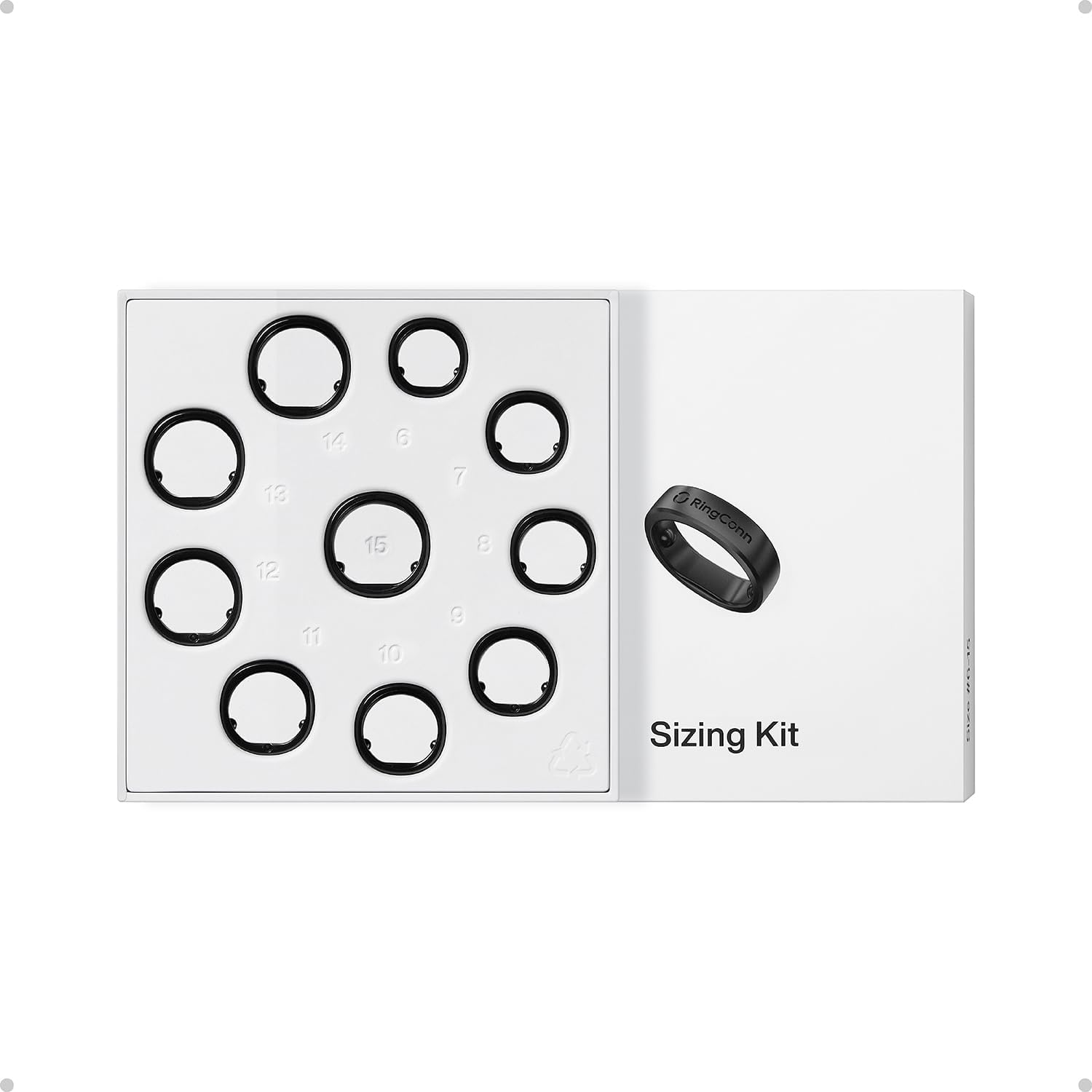
Important: RingConn Gen 3 uses a different sizing system than Gen 2.
If you wear size 10 in Gen 2, size 10 in Gen 3 may not fit the same. This is the most common mistake new buyers make. (For a general sizing overview, see our smart ring size chart guide.)
Why the sizing system changed
RingConn redesigned the internal sensor layout for Gen 3. The ring shape is slightly different, and the sizing calibration was updated to match. See the full Gen 3 vs Gen 2 comparison for all the design changes.
This means:
- Gen 2 sizing kit won’t work for Gen 3
- Your Gen 2 ring size is not a reliable reference
- You need to order a new sizing kit
How to get the right size
Step 1: Order the free sizing kit
RingConn offers a free sizing kit when you order Gen 3. Don’t skip this step.
The kit contains plastic sizing rings in multiple sizes. You wear them for 24-48 hours to find the best fit.
Step 2: Wear the sizing rings during normal activity
Don’t just try them on for 5 minutes. Wear them:
- During sleep (this is when the real ring will be worn most)
- During typical daily activities
- On the finger you plan to use
Step 3: Check for two things
- Comfort: Can you sleep with it? Does it bother you during normal hand use?
- Fit stability: Does it rotate or shift when you move your hand?
A slightly loose ring causes sensor accuracy problems. A slightly tight ring causes discomfort. Aim for the middle ground.
Which finger to use
RingConn recommends:
- Index finger (most common)
- Middle finger (alternative if index doesn’t fit well)
Avoid:
- Ring finger (too much movement during daily activities)
- Thumb (unusual shape, poor sensor contact)
Common sizing mistakes
Mistake 1: Guessing based on Gen 2
“I wore size 10 in Gen 2, so I’ll order size 10 in Gen 3.”
This is the #1 cause of returns. The sizing systems don’t match.
Mistake 2: Measuring with string or tape
String and tape measurements are not accurate enough. The sizing kit is free. Use it.
**Mistake 3: Ordering too tight because “I want secure fit”
A tight ring causes:
- Discomfort during sleep
- Skin irritation
- Finger swelling in hot weather
A slightly loose ring is better than a tight ring. The sensors need skin contact, but they don’t need compression. For more on how fit affects data quality, read our RingConn accuracy guide.
Mistake 4: Ordering too loose because “I want comfort”
A loose ring causes:
- Sensor rotation (reads different spots)
- Ambient light leakage
- Inconsistent data
The ring should stay in place when you move your hand normally.
Trade-in sizing
If you’re upgrading from Gen 2, RingConn offers up trade-in discount (up to $70). But you still need the new sizing kit. (If you’re coming from an older model, our Gen 2 sizing guide is still relevant for that ring.)
Don’t assume your trade-in ring will fit the same as your old one.
Sources
- RingConn Gen 3 product page (notes that Gen 3 sizes differ): https://ringconn.com/pages/ringconn-gen-3
- RingConn sizing kit guidance (official): https://www.ringconn.com/pages/sizing-guide
What to read next
- RingConn Gen 3 review
- RingConn Gen 3 vs Gen 2
- RingConn Gen 3 blood pressure monitoring
- RingConn sizing guide (Gen 2)
- RingConn accuracy guide
Not sure if Gen 3 is right for you? Start with our RingConn Gen 3 review for the full picture.