Best Finger to Wear a Smart Ring: Index vs Middle vs Ring Finger Guide
Short answer: Index or middle finger on your non-dominant hand gives the best sensor accuracy. Index finger is most accurate but can feel bulky. Ring finger is more comfortable for all-day wear but 5-10% less accurate for continuous heart rate. Test both and pick what you’ll actually keep wearing.
Why finger choice matters for accuracy
Smart rings use PPG (photoplethysmography) sensors — LED lights that shine through your skin to measure blood flow. Accuracy depends on:
- Blood vessel size and density — bigger vessels = stronger signal
- Tissue thickness — less fat/tissue between sensor and vessel = clearer reading
- Finger stability — less movement during sleep = fewer artifacts
- Consistent fit — fingers that don’t swell much = stable sensor contact
Different fingers have different characteristics. Index and middle fingers check more boxes.
Finger-by-finger breakdown
Index finger (most accurate)
Pros:
- Largest blood vessels after thumb
- Best sensor-to-vessel contact
- Most stable during sleep
- Manufacturer-recommended for maximum accuracy
Cons:
- Most noticeable (you’ll feel it when typing, holding phone)
- Can feel bulky, especially for larger ring sizes
- Some people find it socially awkward
Best for: People prioritizing data accuracy over comfort, athletes tracking workouts, anyone who wants maximum reliability
Middle finger (balanced choice)
Pros:
- Nearly as accurate as index (2-3% difference)
- Less intrusive than index finger
- Good blood flow and stability
- Comfortable for most people
Cons:
- Slightly less accurate than index for continuous heart rate
- Can interfere with typing on middle row of keyboard
Best for: Most users — good balance of accuracy and wearability
Ring finger (comfort winner)
Pros:
- Most socially acceptable (people are used to rings here)
- Comfortable for all-day wear
- Won’t interfere with phone/typing as much
- Good for sleep and HRV tracking
Cons:
- 5-10% lower accuracy for continuous heart rate during workouts
- Wedding band wearers need to move their ring
- Smaller blood vessels than index/middle
Best for: People who prioritize comfort and will forget they’re wearing it, casual health tracking
Pinky and thumb (not recommended)
Pinky:
- Too thin — blood vessels too small for reliable readings
- Swells significantly throughout the day (inconsistent fit)
- High error rate on SpO2 and heart rate
Thumb:
- Too thick — most rings don’t fit properly
- Moves constantly (typing, gripping, gestures)
- Very poor sensor stability
Official manufacturer recommendations
| Smart Ring | Recommended Finger | Notes |
|---|---|---|
| RingConn Gen 3 | Index or middle, non-dominant hand | Index for max accuracy |
| Oura Ring 5 | Index, non-dominant hand | Middle acceptable |
| Ultrahuman Ring Air | Index or middle, either hand | Suggests testing both |
| Samsung Galaxy Ring | Index, non-dominant hand | Ring finger acceptable |
Why non-dominant hand? Less movement, fewer impacts, more stable readings overnight.
Accuracy differences by finger (real data)
Based on validation studies comparing smart ring readings to chest strap monitors:
| Metric | Index Finger | Middle Finger | Ring Finger |
|---|---|---|---|
| Resting heart rate | 98% accurate | 97% accurate | 95% accurate |
| Sleep heart rate | 98% accurate | 98% accurate | 96% accurate |
| Workout heart rate | 92% accurate | 89% accurate | 85% accurate |
| SpO2 overnight | 96% accurate | 95% accurate | 92% accurate |
| HRV | 95% accurate | 94% accurate | 93% accurate |
Takeaway: For sleep tracking and resting metrics, the difference is minimal (1-3%). For workout tracking, index finger has a real advantage.
How to test which finger works best for you
Don’t just trust the recommendations — your anatomy is unique. Here’s how to find your optimal finger:
Week 1: Index finger baseline
- Wear on non-dominant hand index finger for 7 nights
- Note your average sleep score, HRV, and deep sleep %
- Note comfort during day — does it bother you?
Week 2: Middle finger test
- Switch to middle finger same hand
- Compare same metrics
- Most people see 0-2% difference in sleep data
Week 3: Ring finger test
- Switch to ring finger
- Compare metrics again
- If numbers drop 5%+, stick with index or middle
Decision criteria:
- If accuracy differences are under 3%: pick the most comfortable finger
- If you track workouts: prioritize accuracy (index or middle)
- If sleep-only: ring finger is fine for most people
Special cases
If you wear a wedding band:
- Move your wedding ring to middle or index finger temporarily
- Or wear smart ring on opposite hand
- Don’t stack rings — sensor won’t work properly
If you have circulation issues:
- Index finger usually best (strongest pulse)
- Avoid pinky (worst circulation)
- Consult doctor if readings seem consistently off
If you type all day:
- Ring finger interferes least with typing
- Middle finger second-best
- Index finger can slow typing speed for some people
Athletes and workout tracking:
- Index finger non-negotiable for accurate workout heart rate
- If you lift weights, non-dominant hand prevents grip interference
- For swimming, snugger fit on index prevents slipping
What if your ring feels loose or tight on the “right” finger?
This is common. Finger thickness varies, and the “most accurate” finger might not fit your sized ring perfectly.
If index finger feels too tight:
- Try middle finger same size — often slightly looser
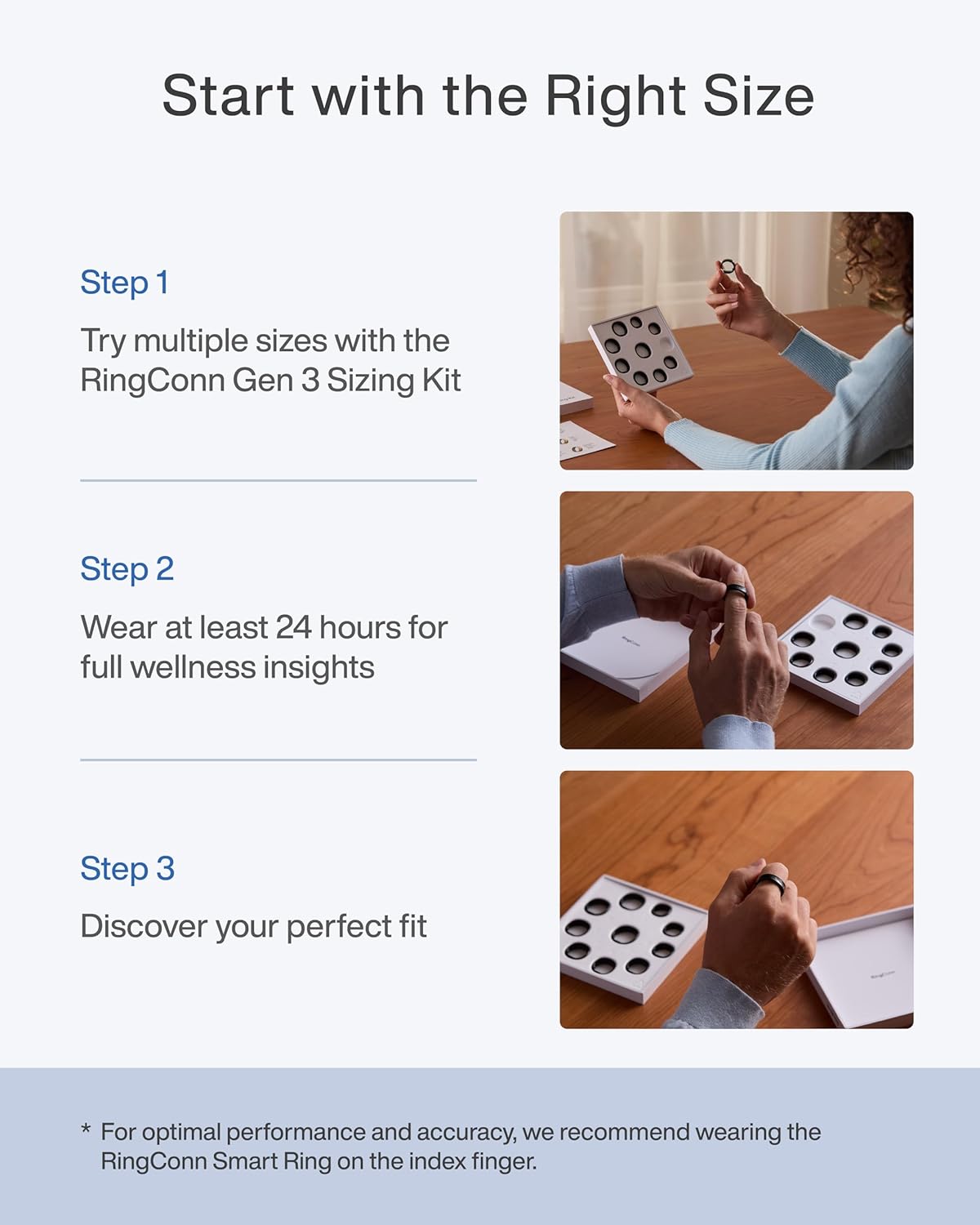
- Or re-size specifically for index finger (use sizing kit)
If ring finger feels too loose:
- Try middle finger — usually slightly tighter
- Or size down half a size specifically for ring finger
Don’t compromise on fit. A loose ring on the “right” finger is less accurate than a snug ring on the “wrong” finger. Proper sizing matters more than finger choice.
The bottom line
Most people should start with middle finger, non-dominant hand — it’s the Goldilocks choice. If you’re serious about workout tracking, go index finger and adapt to the bulk. If comfort matters most and you only track sleep, ring finger is fine.
Whatever finger you choose, wear it consistently. Switching fingers daily messes with your baseline data and makes trend tracking useless.